Showing posts with label resources. Show all posts

July 9, 2016

Getting Started Homeschooling Guide

What did I want to know when I started homeschooling?  Everything.
However, that's a tall order, so I started with the basic information I could find in library books, then looked at internet resources.  I dug deeper and deeper and deeper, collecting and sorting information, until I stumbled across philosophies and methods that were right for my family.

I get a lot of questions from parents who want to start homeschooling but don’t know where to start. "What are the state policies? What are the different types of homeschooling? What home school programs should I use?" Download this free, Getting Started Homeschooling Guide to get the answers.
home school guide
The free homeschool guide includes:

  • Getting started checklist (Tip: Print this page!)
  • Legal policies by state
  • Explanations for 8 types of homeschooling
  • Curriculum suggestions for each type of homeschooling
  • A list of resources that new homeschoolers should bookmark
  • Total of 15 downloadable pages that you can print or save onto any device
downloadnow


Was this guide helpful? Share it with your community!

January 24, 2016

How I Use Evernote - Part 4

Hello again!  I'm glad you are still following along in my Evernote series!  If you missed the previous posts, you can find them here.
Part 1 - Introduction to Evernote
Part 2 - Homeschool Resources and Organization
Part 3 - Homeschool Exams and Record-keeping

My final post in this mini-series is on other household uses.  This has truly endless possibilities and can be tweaked to suit your family!  I won't try to cover even all my ideas for it here, but give you some of the more useful ways I currently use Evernote for things other than our homeschool.

Without further ado, in no particular order, here are my top 8 uses for Evernote!


1. Finances

Each weekend, as part of my weekly wrap-up, I take photos of my receipts straight into Evernote.  You can do them all, or just the ones related to credit cards, or ones you are tracking for a specific purpose.  I scan the cash receipts into Evernote and tag with categories (restaurant, homeschool, grocery, etc.), then the credit/debit receipts go straight into our QuickBooks Online app.  I don't usually reference receipts again, but its good to know I can look back in case there are any questions.  Then I throw the receipts away, unless I think a return/exchange may be in coming.  I have a Finance EN notebook within my Homemaker stack.
Although we no longer do this regularly thanks to QB, you can enter bills, statements and more in the same place.  Now that EN has a reminder function, you could have your bills pop up in the Reminder list at the appropriate time.

2.  User manuals and Maintenance records

Each time we buy something that comes with a manual, I make a new note in my Manuals notebook, which is also in my Homemaker stack.    Creative name for the notebook, right?  Keep it simple. :)  You can also note when/where/why the item was bought, just above the photos of the manuals pages for warranty purposes.
I have another notebook names Maintenance and Repairs.  This is where I keep home and vehicle maintenance information.  Also, information on how to do maintenance and repairs on items in the house - like how to clean out the dryer vent, or even stain removal tips.  Tag appropriately, especially if your list of notes is getting long!

3.  Emergency information

This is stored in !Emergency Notebook, not within a stack.  The '!' before the letter ensures it stays at the top of the list of notebooks.  Here are emergency prep lists, wills, safety deposit box info and the like.  You could put as much on here as you are comfortable with.  I normally keep all my Notebooks shared across devices, including this one, but you could make it so this one in particular is only available on your desktop for safety.  I don't keep SS or credit card #'s in this folder, but you could so replacement would be easier if the physical versions are stolen.

4.  Digital Scrapbook (or daily log)

This is a big one for me.  I don't really keep a diary anymore, and post all significant events on Facebook.  It makes sense to automate a diary of sorts these days.  I use If This Then That (IFTTT) to automatically create a log for Facebook, Instagram, etc.  There are tons of pre-made "recipes" on IFTTT you can participate in based upon what you want to save.  This means all your Facebook posts will be searchable for real, not FB's version of searchable.  I have a notebook called Dear Diary within my Personal stack, as well as one called Scrapbooking.  I think I have Instagram automatically going into Scrapbooking, and FB posts going into Dear Diary.  I set it up over a year ago, and it is literally set it and forget it! You tell it which notebook and even what tags to put on imports, so its all exactly where you want it.

I also have IFTTT save all my blog posts.  These go into the Blogs notebook in my Educator stack, along with Crafts and Book Notes.

I also archive my BuJo photos.  The Bullet Journal is where my daily to-dos, notes and ideas go on paper, with a real pen. I love writing by hand, but its so hard to find things again, even with the index.  Its just slow.  So I photograph each BuJo page every few months and save it to EN.  I also photograph my physical commonplace book, and place those pages into my EN Commonplace Book notebook, along with quotes online that I have saved with web clipper.

I know that sounds like a lot, but I literally don't spend any time at all on this scrapbook/log idea.  Spend an hour setting up all your accounts with IFTTT, which is free, then let it do its thing.

5.  Recipes

I use EN at least weekly for recipes.  I collect, store, and read them from EN when cooking.  I use Web Clipper anytime I come across something yummy, and I do that so often that its learned what Notebook to put it in.  I use this notebook for weekly menu planning, so have tags for my recipe, such as breakfast, lunch, dinner, sides, drinks, etc.  I also have some tags specific to dietary issues, like "gluten-free" and "dairy-free".  This makes it easier, especially now that I have 363 recipe notes, and many of those have multiple recipes on a page.  I found that even though I like having a physical cookbook while cooking, I much prefer using EN's search for finding the recipes across all my cookbooks.  So, as a weekend project, I suggest pulling out your favorite cookbooks and snapping photos into your Recipe notebook.  Make sure not to forget the index page and page numbers in the photos, so its easier to get the book off the shelf and find it there as well.

6.  Projects, Planning and Research

Projects - Collect information, make checklists, share note with others involved, annotate notes, and
archive when the project is completed.  If you ever need to remember exactly what paint color you used in the office, the size of the room or how much the furniture you really wanted cost, you can find it all in your Project notebook!  Tagged "office" or anything that is appropriate.    I have collected birthday party ideas, decorating ideas, gardening tips and more.  Also great for planning vacations!

Planning - Yearly, seasonal/interval goal setting, project planning, brainstorming.  I recommend looking at Simplified Organization.  I went through Mystie's Work the Plan program, and she includes how it can be done with Evernote and other digital tools.  She does it so well, so I just ride her coat-tails on this part of things!

Research - I have a Wellness notebook where I put articles relating to the health concerns in my family.  I tag with the health issue and the person's name, making it easy to refer to as needed.  I also research essential oils, diets, and homeschooling ideas using EN and web clipper.

7. Contacts

I don't keep business cards very long anymore.  I shoot a photo, and EN automatically recognizes it as a contact, puts it in the Contact notebook and pulls the name, address and phone and other normal information from the card.  IFTTT can also help collect your contacts by importing from your email provider, LinkedIn and more.  Here's a screenshot of what taking a business card photo looks like - no retyping all the information!


8. Record-keeping

Whatever you need kept, put in Evernote.  Results of doctor's visits, test results, therapy sheets you may want to refer to multiple times has come in handy for me.  I told in the last EN post how I keep homeschool records, but left out attendance.  This is rather important as many states do require a certain number of days of school, and want to see "proof".  Kentucky wants us to keep grades and work samples as well, so I have all of that in EN.

Below is our attendance sheet for this year.  I just took last years and copied it into a new note and took out the checks.  The nice thing about doing it this way is I idon'thave to worry about days of the week, just total numbers, so each month I add up the days in MTD (month to date) and then year to date (YTD) to keep a running total.  Last year I did color code weekends and holidays, but that was too much trouble to do again.  9-week grading periods and grades are below what you can see in the screenshot, in this same note.

Homeschool Attendance Record within Evernote

I hope this gives you some ideas to help you organize and keep track of things more efficiently!  Let me know if you have any questions or more ideas to share.  Thanks for joining me for my Evernote mini-series!

January 19, 2016

Wednesday with Words: Disease

Disease?  Yes.  Its an odd topic for me on a homeschooling blog, or for Wednesday with Words.  Bear with me.

I have an autoimmune disease called Hashimoto's Thyroiditis, plus another one I won't go into here. This is the most common thyroid problem, causing weight gain, fatigue, and many other symptoms.  Conventional medicine says to take some T3 in the form of levothyroxin so your body can make enough T4 (those are hormones).  Or, if your body doesn't do that well, take some T4 as well.  So pills for life.  I'm not a fan, but you do what you have to do.  Is there anything else that can be done?

Maybe.  Maybe you've heard this:
All disease begins in the gut - Hippocrates
It makes sense, since the majority (nearly 80%) of your immune system is located in the gut.  There is this thing called Leaky Gut that  many of us deal with, especially those with autoimmune issues.  It may not be accompanied with digestive symptoms.

So what?  Well, turns out, leaky gut can be healed by eliminating triggers and eating nutritiously.  If one can heal their gut, then less illness and disease would be in his future.  That's something to smile about!

I'm listening to the Heal Your Gut Summit this week.  Its free to join in!  Its Day 2 today, and I don't want you to miss out if this topic is of interest to you.  Click here to sign up!


More great Hippocrates quotes! (found on BrainyQuote.com)


Let food be thy medicine and medicine be thy food.

Make a habit of two things: to help; or at least to do no harm.

Healing is a matter of time, but it is sometimes also a matter of opportunity.

Walking is man's best medicine.

There are in fact two things, science and opinion; the former begets knowledge, the latter ignorance.

Everything in excess is opposed to nature.

January 9, 2016

How I use Evernote - Part 3


What You've Missed
Part 1: Introduction to Evernote


Part 3: Homeschool record-keeping and exams

Now that you know how to collect and organize your homeschool resources in Evernote, what do you do once you've used those resources, or a term is over?  I'm going to attempt to answer that in this post.  

Weekly Wrap-Up

I do a weekly wrap-up (a la Simply Convivial/Work the Plan) for my household and for homeschool.  Each Friday afternoon when school is complete (or Thursday if Friday will be a field trip, or Saturday if Friday got too crazy), I take a photo of my weekly checklist within the Evernote (EN) app on my phone.  It syncs up and then I sit down to the computer to organize my EN Inbox.  While you can do that from your phone, and assign the picture directly to the Weekly Log notebook, I prefer to do it on the computer.  I usually have a few things in the default Inbox notebook by Friday, and take this time to look through them and move, delete, or edit those Notes.


I name the checklist with the AO year and week that was complete, perhaps adding an A or B if it was a partial week.  Sometimes I add other activities and happenings to the top of the note - field trips, illness, therapies, holidays - to keep everything handy in one spot.  I move the note to my Weekly Log notebook.   If you are keeping your checklist in a digital format, you may just keep it in your EN Inbox during the week and move it to Weekly Log, or even keep it in the Log notebook in the first place.

Along with the checklist, I photograph some written work - copywork, dictation, math - or maybe import some photos from a field trip for record-keeping.  I use the following tags currently - AOyear#, child name, subject(s) - to make things easily searchable should I need to find it someday. You could also add term or week #'s, but I haven't found that necessary yet.  If there is a resource that you will not need to access again, I would move it from Resources to Weekly Log and perhaps add a sentence or two at the top of that note saying how you used it and how it was helpful, especially if you have other kids coming up that may like it as well.  If it was not helpful, you may just delete the note all together.

As you can see below, you can have oodles of Tags.  To keep them organized, place a period before a tag with a group name.  Don't use that tag except as a place holder.  Drag related tags to the group tag (.School, for instance) and they will automatically sort in alphabetical order within the group.  Every once in a while, I go through the tags and if there's less than 5 notes with that tag I will consider renaming or removing that particular tag to keep the list from getting unwieldy.  Looks like its time to do that again!

My homeschool related tags, grouped under ".School"

Exams

As your AmblesideOnline term comes to a close, you will want to prepare for exams.  To save the labor of typing up my own from scratch, I go to the AO Exams page and use EN web clipper to save the term I need.  Make sure you also add the link to the Exam Key to your Exam note, or go ahead and copy or clip the key to its own note.

Exam note on EN app on iPhone 5.  
I leave it in my Inbox for editing and use, and tag like this: AO4, exams, child name.  I name it AO4, term 2 with the date in the format I use for everything (see picture above) to make it easily found by the search engine.  I read through the exam questions, making sure we covered all the information, and changing questions as needed.  I space it out and can type his answers as he gives them to me.  If I choose to record his reading, recitation or singing, I can add links to those audio notes to the exam note, as well as photos of his copywork, etc.  Evernote does have the ability to do audio recording directly into a note (via app or desktop), which is really handy for exams. 

Just tap within the note where you want the audio file, then click that  microphone icon on the bottom!
Example of audio clip in a note by itself, as seen on the computer

If you don't want to type out the answers, you can print out the exam after you have edited it and left space for handwriting answers.  Then you can type it up later, or just take a photo of the completed exam.  If you go into your Records notebook and type "exam" in the search box, you might see this:


Evernote highlights everywhere the search term appears, and narrows down the number of notes to look through considerably.

Once the exam is completed, double check that its tagged and named correctly and add it to your Records folder, along with the Weekly Log notes from the completed term or year. 

You can see examples of our previous exams- Time for Exams.  There are a couple different ones linked in that post, both stored in Evernote.  I made those particular notes public, but most of my notes are set to private.  I love that flexibility!

End-of-Year Record Archival

To keep the number of notes down, you can now Merge notes!  I wouldn't do a year at a time, but merging all the Weekly Log notes from a single term tagged with Math , for instance, into one note then moving it to Records would be efficient.  
Copywork from all of 1st grade, merged into a single note
If you take prefer to take pictures of physical work less often, you could just store it all up then go through it at end of term or end of year and photograph a variety of examples directly into a single note.

Evernote added linking features a year or two ago, and this is one use I have found for it.  When you have your various notes for a school year merged by subject and in order, link each of those notes into a Table of Contents.  (You could also place a symbol before the titles of these TOC notes to keep them on top of the other notes in that notebook, such as ! or *.) 


Please let me know in the comments if anything is unclear, or if you have a different way of using Evernote for your homeschool!  I hope you have found this series useful thus far.

Still to come: Part 4: Household and other uses

January 6, 2016

How I Use Evernote - Part 2

Read Part 1: Introduction first and follow the links provided so you are familiar with the terminology and basics of Evernote.  It will be time well spent.

How I Use Evernote - Part 2: Homeschool planning and Resources

I'm going to walk you through the elements of my planning for an AmblesideOnline year with Evernote, with some tech tips here and there.  Please do ask questions if something doesn't make sense to you!

The best thing about Evernote is that I can save everything in there and not run out of space.  At least, I haven't run out yet, after five years of homeschool planning and using its storage for all aspects of my life.  This means you can research as much as you want, anywhere you want and still find it when you want it later.  Even if you aren't good at using Notebooks and Tags in Evernote, the search function is amazing and can even read your handwriting.  No joke.  You can take notes at the homeschool conference, come home and take pictures straight into Evernote.  The next time you look up the subject or keyword of that conference, it will be there for you. Although sloppy cursive does confuse it somewhat. :)

Now, my basic homeschool plan is already laid out for me at Ambleside Online.  I do save the pages for the upcoming year into EN, for ease of finding while I'm out and about, and just in case the site goes down.  It is SO easy using Web Clipper.  This is a free browser extension that allows you to save an article, section, or entire web page directly into EN, even letting you choose the Notebook and Tags without leaving your browser.

Go ahead and download Web Clipper, and give it a go by clipping this blog post.  See, isn't that fun!  Now tag it as "how-to" and put in your Homeschool notebook.  Just kidding, you can delete the Note.

Now on to the specifics!

First, I pull up the schedule for the year (let's use year 5, as that's the next one for us).  I save the 36-week Detailed Schedule page into EN using WebClipper.  Then I open EN and edit the text in the note, if needed - taking out any book or subject we won't be doing, for instance.  I also save the PDF schedule or any other format I want to have on hand.


You can save all the file formats into EN, then open them from there!  This keeps me from having to use complicated file storage structures on my computer, and keeps space freed up as well.  I just download the file, then drag it into the EN note for the year's schedule, but you could make a separate note for each file format you want. You cannot, however, edit the Word doc, PDF or other files in EN.  When you go to open it, it will basically re-download it to your computer.  If you will be accessing it regularly for editing, just keep it on the computer and back it up to EN when your plans are finalized.

Next, I go to the Art, Composer, Folk and Hymn pages, highlight the text for the upcoming school-year and save the selections with WebClipper.  For Composer in Term 1 of 2016-17 school year, that would look like this:

the browser page while clipping
my Evernote window after clipping and syncing - the highlighted words I added to show that editing is simple

As I gather information about the composer - a wiki bio, a link to a book, a photo, or my music options -  I can paste that in the same note, just below the AO information.  Typically, music links and the like are already linked by AO and are handy there (web clipper keeps the links in your note), but if I want something more or different, I just add to it!  Repeat for each subject in each term and collect all of this in your Resource notebook.

Some people might prefer a resource notebook for each school year.  I prefer fewer notebooks and more tags, so I have a single Resource notebook within the Homeschool stack (see below).  If a resource is for one year, it will have the corresponding tag (AO5, in this case).  If it will be for multiple years (or perhaps if you have multiple children in different years and want them all to use it the same time), you just put several tags on it.  For instance,  Parables from Nature is used in years 1-3, so information on that book would get tagged 'AO1', 'AO2' and 'AO3'.  This is great for forward planning.  If I'm already in the current school year, I may add the note into the Current School Year notebook.  (Or not.  I just search anyway to find stuff most of the time, but its nice to have a general idea of where your stuff goes.)

I have a Homeschool stack (which I think of as a shelf filled with Notebooks, which in turn get filled with Notes) with the following Notebooks in it:
  • Book Lists - AO lists, bookmark schedules, ideas for holiday reads, etc.
  • Current School Year - progress reports, exams, notes on books, local opportunities
  • Curriculum - curriculum ideas, alternate schedules, actual curriculum PDFs
  • Homeschool Other - school supply lists, inspiration, whatever
  • Records (from past years) - you can move "current school year" items here when its over!
  • Resources - ideas past, present and future for both local places to visit and online sites
  • State Requirements - the legal stuff
  • Weekly Log - where I store the photos or our completed weekly checklists, math sheets, copywork samples.  At the end of a term or year, this would combined into a larger note and get moved to Records
So, I gather and plan and dream, then as it all comes together I can make detailed daily plans.  This year I have a weekly checklist with suggested days on it, and a separate daily reading list on the back, as you see in these photos.  I like having it right in front of me with my dry erase pencil, but you could do the same thing in EN, using the check-boxes and saving that note each week into the Weekly Log notebook. Or printing it out from EN, and daily logging what actually happened into EN and saving that into the Log.  Or, you could do a Daily Checklist for each child or for the family as a whole, in EN, and reference that.  (You would want an iThing, though, so you aren't tied to the computer.) There really are many possibilities!  
Our weekly checklist, done in Excel, because I haven't figure out how to do columns well in EN yet
Another way I have done it is to put each day of the entire term in to one note.  Then you can print out however much of it at a time you need.  Here is a shot of this method:


I think this has gotten quite long enough!  Let me know your questions and I'll try to answer them in the next post.

Upcoming -

Part 3: Homeschool record-keeping and exams
Part 4: Household and other uses

September 2, 2015

Do You Love The Magic School Bus?


SPECIAL OFFER: Through the end of the week you can receive 50% OFF a year’s subscription through Educents... and FREE shipping in the Continental United States! Ships to Canada for $2/month. This deal is amazing... just $10 per month, DELIVERED!
 
If you have children (ages 5-12) who enjoy the Magic School Bus books or videos–and if you like doing science experiments with them–then you'll LOVE The Magic School Bus Science Club!
Developed by a team of Harvard graduates, scientists, and educators, the award-winning Magic School Bus Science Kits are delivered monthly right to your doorstep. Children will explore science through experiments that will spark an interest and curiosity in science. Each kit includes a colorful manual based on The Magic School Bus characters, as well as everything you need to complete at least seven experiments related to that month’s theme.
What is included?
1 year subscription includes 12 Magic School Bus kits + FREE SHIPPING in the Continental USA (Ships to Canada for $2/month). Each kit includes:
  • Detailed, large 12-page colorful manual that is full of experiments and topic information
  • Each manual is based on the popular Magic School Bus books and TV series
  • Includes an adult section so that adults with no science background will find the kits easy to use
  • Materials and information necessary for a range of interactive experiments
  • Online Clubhouse for further exploration on each kit topic
  • Certificate of Completion
Kit Topics:
Would your family have fun with this? If so, now’s a great time to sign up: Through the end of the week you can receive 50% OFF a year’s subscription through Educents... and FREE shipping in the Continental United States! Ships to Canada for $2/month. This is an incredible deal! It's just $10 per month, DELIVERED! The first kit will ship on September 15th! You can even create and print off your own gift cards to let your children know about the surprise.
Enjoy your exploration alongside Ms. Frizzle!

June 19, 2015

How We Do Summer School

How we do summer school....well, this summer, anyway!  In summers past, I've continued the math program and copywork, as those are his weakest areas, but they are also hardest and cause the most anxiety.  After all the diagnoses he has received in the past month, and the recommendations he was given, I decided to try something different.

This year, I've stopped the math program for a while, and dropped copywork completely.  Instead, I'm keeping up the parts he enjoys and has the potential to make big gains in.  He enjoys the "readings" - history, literature, science - most of all.  He doesn't like narrating as much, but he knows it goes with the territory and doesn't fight it.  His regular volume of reading in the school year is Bible plus 3 other readings, so I've backed it down to 2.  It seems a good amount at this time.  

You can see the books we are using by looking at weeks 9-12 of Year 4.  We are in week 10 right now.

We are keeping up with typing, which he has finally started making regular progress in.  We are using the free website, Ratatype. which is simple and effective.  He used it 2-3 times a week during the school year, but I'm aiming for 4 or 5 times a week during the summer.  Knowing what I do now about his attention, speed and vision issues, its not surprising that the children's typing programs were too overwhelming.

We are also doing math facts, to try and solidify the multiplication tables that he has done so far.  I have been doing them aloud, and actually seeing some progress and retention since dropping the regular program.  Seems like less is more for him.  Anyway, I'll continue doing some out loud with him, but I found Mathbreakers early Tuesday, and immediately bought it.  He spent several hours on it in 2 days and finished the Addition segment!  He really is enjoying it, and doesn't think its "school", which means he will naturally spend more time doing it. He can move on to multiplication, fractions, operators, and more!

In addition to  the above, we are still listening to our folk, hymn, and composer songs, although not as regularly.  I gave up reading Richard the II (Shakespeare) and we will watch it on YouTube.  I like this version because it has the words on the screen.

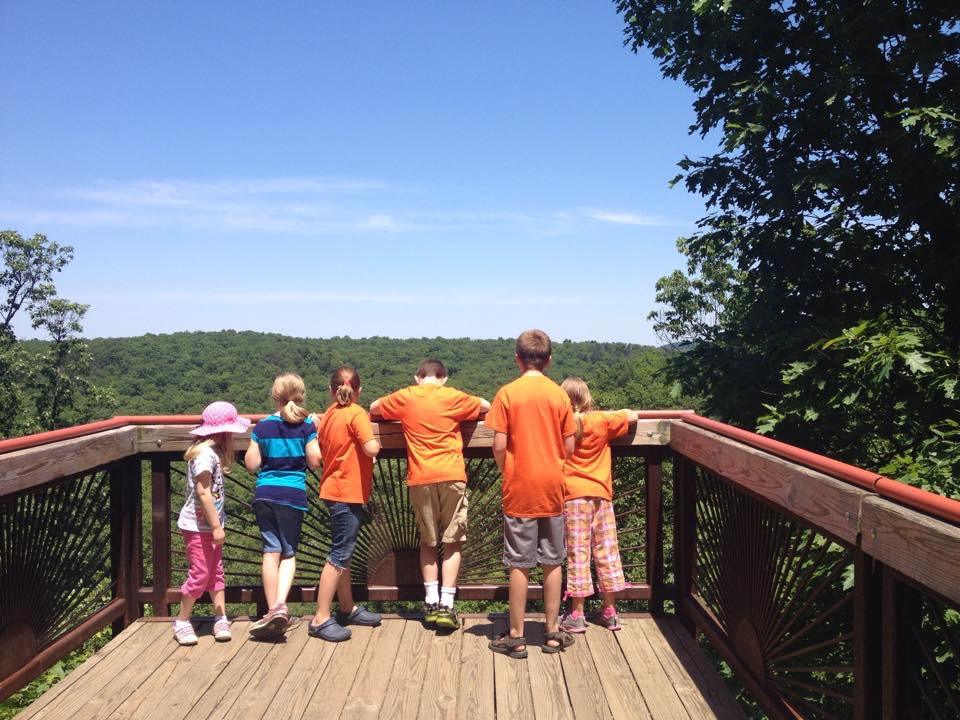
Recent homeschool group trip to Bernheim Forest

I'll try to work in some more Plutarch - we've stalled on  Timoleon, as its the first full Life we've attempted.  I regret that working in memory work, poetry and a few other riches isn't happening, but I am glad to have more time outside, with friends, and at the water park.  A few weeks of relaxing and living a slower pace before all the therapies begin is just what the doctor ordered.

Besides, we have a new kitten, Moxie, and she needs "lots of lovins", I'm told. 


April 11, 2015

How I've Organized AO Year 4

I tend to change the way I organize each school year - not really because it isn't working, but because I get bored with looking at the same. planning. pages. every. day.  I also change notebooks around because they get full, or don't get used at all.  Here are some changes I've made in the past month as we've eased into AO year 4.

I was using a paper planner for my week.  I would look at my spreadsheet for the term, check we were on track for the week we were on, and fill in the blanks for each subject at the end of the previous week while everything was still fresh in my mind.  I know many prefer Sunday evenings for this tasks, but by then I've forgotten what chapters we just read!

Anyway, I got tired of writing things down each week, so decided to print out the plans ahead of time.  I took one sheet of my spreadsheet for just the readings.  As you see below, I included the week number on the left, and five days in our week.  I put day numbers instead of Monday through Friday, though, so if we have a difficult day or field trip somewhere, we can do "day 5" on that day, which is just free reads in the reading slots, and stay on track.  This sheet is slid into a plastic page protector, so the markings you see are dry erase pencils.  I started off not checking things, but it was hard to remember when he started wanting to skip around, so by the third week, I was marking each item.  After week 4, I'll just print out the next part of the spreadsheet and can toss this one, or save for our physical records.


In the same page protector, on the other side, is the weekly sheet.  Day 5 here is marked as optional, but we can usually get a few check bubbles filled, even when other activities are happening.  I put the dates above for illustration purposes, and because I take a picture at the end of the 5 days for our records.

On the left is every single subject that we include in our homeschool.  An X means we didn't get to it, and the numbers in the "Maths" row are the lesson numbers (he takes about 2 days per lesson).  "DL" and "RS" in the "Spanish" row are DuoLingo and Rosetta Stone.  By each "Read", I have a suggested subject, but they don't always work out exactly - we follow the list above.  I placed Rosetta Stone on the same days as Typing and Singing, as all three of those are done on my computer, and I'd rather not have him on it often, but all at one shot.

I have a suggested focus area for Math Facts ($, addition/subtraction, and multiplication/division) but have not yet been consistent in this area.  "Read aloud" means he reads to me a page or two from a school book or poetry, his choice.  "Read alone" is reading a chapter in a simple chapter book to himself.  All other readings I am still reading aloud, including Shakespeare (twice weekly) and Plutarch.

Hopefully you can see the balance.  If he is going to play on the piano, its done after math to release tension that inevitably causes.  We choose  either timeline or map work, depending on what the readings that day ask for.  I have daily subjects mostly at the top of the page, but I also have this in an order we can follow from top to bottom.  We don't always go in that order, as I do let him choose, but if he's at a loss, I simply choose in this order.  I tried to evenly spread the subjects that are once or twice a week out so that about the same time is necessary each day, except Day 5.


 As you can see, we had a field trip and then a homeschool egg hunt in the same week, so things were skewed - it was a 3 day week, with day 4 completed this past Monday, April 6.  (Then he got 4 days of spring break!)  So, rather confusing, but it doesn't change the fact that we got it done, and always knew what was left to do!  The nice thing about this list is that I can simply wipe it after taking the photo and be ready for the next week without having to write *anything* down, and he is able to take ownership of the bubble-filling, which is good for his confidence and fine motor skills.

Now, in addition to my one sheet wonder above, I do have some notebooks.  We have a notebook just for math that we pull out daily, instead of a textbook and workbook.  I have a Spanish notebook with a nice curriculum printed out in it, but we aren't currently using it.  And then, I have a folder where I store art and music, which I'll say more about below, and a miscellaneous notebook where I store everything else, but only pull out about once a month.


This is what I started with - a place to keep the art prints when we were done with the artist.  I would use one page protector for 2 art prints, so the 6 prints of a term took only 3 plastic protectors.  It made for a nice little book, but the one inch binder was more than full after three years!  I didn't have a good system for hymns and folk songs, and didn't always print out the lyrics, but only some of them.  I took the ones from the past and put in the back of the folder above, then started anew.

 I found a graphic online and wrote my own for the binder's edge, so it makes me want to look at it. :)  Then I set to work on filling it.  First, I gathered all the hymn and folk songs and artist's prints from the past and current term.  I put the hymn facing forward, and the folk song facing backward in the same page protector, followed by a page of art prints.  In Ambleside Online, there is a hymn and folk song scheduled each month, and 6 prints per 12-week term, so it works out great!  This way, he can look back and see previous artwork and have his memory jogged by the music pages.  Here's a couple pictures where I am trying to help you see what I'm talking about.


I hope that helps some of you!  I realize that with multiple children, the bubbled checklist may take some tweaking, but I think if each child had their own it might work okay.  I think you'd only need one Art & Music binder for the family, so it might work out as described, unless your children expect their own as keepsakes.  What do you think?


April 9, 2015

What I'm Reading

I like to use GoodReads to keep track of my own reading.  Its nice to be able to easily update my progress, share reviews, and see what my friends, both near and far, are reading or wanting to read.  Its nice to look back and see how many books I've read, and what categories they were in.  Although I often feel that I'm not spending very much time reading, I can easily see that those bits are adding up!  My yearly goal this year was 60 books, and I've already completed 25, so I'm on track!  (GoodReads actually tells me I'm 9 books ahead.) How are you making it towards your goals?

Below is my current list of books.

Out of Mind - Out of Sight: Parenting with a Partner with Asperger Syndrome - finished this last night
The Good Master - current bedtime read-aloud
Richard II - current Shakespeare read-aloud, about twice a week for 10-20 minutes
Your Ten to Fourteen Year Old- I've read all the bits about ten year olds, and will come back to it in a few months
What to Do When Your Temper Flares: A Kid's Guide to Overcoming Problems with Anger - reading with my son on occasion.  I need to try to finish it soon to get it off the list.
Rich Dad, Poor Dad - our current financial book, that I read whenever my AO schedule leaves a slot open (as in, we do 3 school reads a day, not counting Bible, Shakespeare or Plutarch, so if there are only 2 on a certain day, I read some of this book)
The Everlasting Man - doing a slow read and book discussion over at AO
The Iliad - I've been over halfway through for a long time on this epic poem.  I started with a book discussion group, got behind and quit completely, but I do intend to finish!
The Handbook of Nature Study - I've read quite a bit of this huge book.  Its nature study training for me, full of good information and questions to present to the student for deeper observation and thinking
The Message Remix - a contemporary Bible, which I started last year and only read on occasion
How to Read a Book: The Classic Guide to Intelligent Reading - another book discussion title, which we are making steady progress on and will finish in July!
Pocketful Of Pinecones: Nature Study With The Gentle Art Of Learning: A Story For Mother Culture - another one I started then set aside, but do intend to complete
Democracy in America - a more difficult read that I may not realistically get back to for a long while, but the desire is still there
Easy to Love, Difficult to Discipline: The 7 Basic Skills for Turning Conflict into Cooperation - this is a great parenting book, but I may not finish until I'm done reading up on asperger's/autism, as that's our current focus at my house
This Country of Ours - our American history school book
When Children Love to Learn - a highly recommend CM-ish book that I have as an ebook, which makes it harder for me to remember to read, LOL, but I will get 'er done!
Consider This: Charlotte Mason and the Classical Tradition - I'm co-leading the AO book discussion on this, and enjoying it very much
Watership Down - this is such a fun story, and my second time through, this time with a group at AO
Trim Healthy Mama - I've pretty much read everything but the recipes, and am doing those a little at a time (I despise cooking but am trying to overcome!)
Endangered Minds: Why Children Dont Think And What We Can Do About It - a Christmas gift that I started immediately but haven't continued as enthusiastically.  Which is no reflection upon the book at all.
Simply Grammar: An Illustrated Primer - we've been going through this for over a year now, slowly.  Taking a break for MadLibs games this spring ;)
Our Young Folks' Plutarch - we are actually using the North translation with Anne White's study notes for school, but that's not on GoodReads, so this is what I put there instead, after starting it  last term
Formation of Character - CM's volume 5, being lead by an AO superstar ;)

Here is my reading challenge page - feel free to add me as your friend :)


May 9, 2014

A Review of Overlap Maps

(I was given a free copy of Overlap Maps activity ebook in exchange for this review.  All opinions are my own.)

What a unique concept!  This may just be me, but I find the relative size of countries fascinating.  At http://overlapmaps.com, you can drag countries to and from anywhere!  Of course, this is educational in and of itself. :)

To take it a step further and make it school-ish, you can purchase (for $4.99 until 5/12/2014 through Educents) an activity ebook, which is a 57 page PDF explaining the concepts of the different kinds of maps (including why distortion occurs on flat maps), how to use Overlap Maps, and ten lessons.   Each lesson has facts to learn, a map activity and review questions, and is intended to be short and sweet.  You can print out the lessons and work through them with your child, or have them do it on their own (just make sure not to give them the answer key at the end ;) ).

I made my own Overlap Map, imposing Brazil over Kentucky.  You can see it here! Kentucky is where I am, and I knew Brazil was big, but wow!

As a Charlotte Mason style educator, I typically shy away from contrived activities and worksheets.  However, I see Overlap Maps as a nice supplement to geography.  For example, we are studying Marco Polo in AO Year 3, following his journey from Venice to China, back across China, India and the east coast of Africa and back again, etc.  I think overlaying China, India and Africa over each other, comparing to Kentucky and Italy would be a fun way to look at the maps, as well as being memorable.  I won't be using the Overlap Maps ebook as indicated (fill out the answers), but I do think going over the facts in each lesson and doing the activity will be beneficial for my kinesthetic, big-picture, right-brained learner. :)

September 2, 2013

Our First Week of Homeschooling


*This post was written 8/14/2011 on my first, now defunct blog, but was popular so I wanted to share it again!*

As you know, we are using the free curriculum guide provided by Ambleside Online, which follows the Charlotte Mason method of education.  I'm starting DS off in Year 1, since he is already beginning to read and will be 7 in December.  (He would also be in 1st grade in public school, but the Ambleside years don't necessarily correspond to grade levels.)

Here are some school room (dining room) pictures.

 The shelf containing scripture memory box, readers, Peter Pan (bedtime story), Bible, and field guides
 The Year 1 books we are working through for literature, science, history, geography and poetry.
My new-to-me chalkboard! (Thanks, Robert for not throwing it away like your mom said to, and to DH for hanging it)

I followed my planner and got almost everything done that was scheduled (although a few things out of order, but that's what freedom is for!).  It felt easy and natural to teach him with this method, and I was pleased with our beginning.  He had a couple days where resistance led to tears...probably because he was expecting to not actually have to learn at home.  The first day he couldn't understand why I didn't want him in pajamas all day, but he did comply.  Hopefully, these things will work themselves out as we continue with the plan.  As we get used to this way of learning, I will slowly lengthen the math lessons, which is currently 12 minutes of Funnix lessons followed by computer games or hands-on activities to reinforce adding and subtracting.  I will also increase the amount of time he will be reading to me.  While he can read many words that surprise me, he has no love of reading and is very resistance to reading out loud.  Thankfully, he does like me to read to him, since that is the core of the Charlotte Mason method in the younger years, along with lots of outdoors time.

As the summer heat subsides, I will be increasing the outdoor time as well.  We did "walk" the baby turtle each day and create a terrarium for him, and purchase a new ball to toss around the yard.


We hunted for sticks to make this nature journal.

We captured grasshoppers and even a dragonfly, which became our nature notebook entry for the week.  The Handbook of Nature Study blog has the pond as the August focus, which worked out great for us!  I need to figure out how to dig deeper with the nature notebook than only examining the creatures we find, and this website tells me how.  Now to apply what I learn...


For handicrafts, we are learning sewing from my mother-in-law.  She is a former home ec. teacher, and I am needle-challenged, so this worked well.

We watched Spanish videos on Speekee and Salsa, using the immersion method before using some conversational software we have from The Learning Company.
We did some phonics and learned some new words, using Free Reading, which I found through Lesson Pathways.  (I'm also using Lesson Pathways to supplement math, science, and other things in the future.)

At our trip to GenCon earlier this month, DS fell in love with the ocarina, so we purchased an inexpensive plastic one for him to learn on.  This week we learned finger placements and practiced a scale.
We listened to Mozart, the composer for this term.  Listen here.
The only thing I didn't get going was art and artist study (Fragonard this term), as my printer is out of some toner colors, but I will get that started soon!

August 5, 2013

Plans for Ambleside Online Year 3

Today we began our third year of homeschooling.  Its hard to believe its been so long already!  We enjoyed taking some pictures to kick off the year, then I snuck this one, too.

First attempt at Draw Write Now, book 2
I am sticking with AO for another year, and likely for many more to come.  The Charlotte Mason method and her philosophy of education resonates with me, and I believe AO holds true to these. Besides, you really can't beat a free curriculum!

Third grade bookshelf
AO Year 3 moves us from the Middle Ages into the age of discovery and the Reformation.  We will cover the adventures of Marco Polo, using Towle's "Marco Polo, his travels and adventures", and following along with a map.  We move from learning about Martin Luther through the age of widespread printed materials.  The conquests of the Americas, the quests for gold, pirates and heroes.  Tall tales and Greek myths.  Nature study and foreign language.  Pilgrim's Progress and Shakespeare.  I'm excited just thinking about all we will learn this year!  Yes, I said "we".  I am learning so much, right along with him, and I love it!

Current favorite game and Geography puzzles
In addition to the mental feast in the AO Year 3 booklist, which covers history, science, Bible, geography, poetry and literature,  we will add the following materials:
  • Copy work - Write Through the Bible, cursive (Lord's Prayer, then Philippians chapter 2); Draw Write Now, book 2 (alternate, but some writing daily)
  • Art - Creating a Masterpiece DVD series, AO's picture study rotation (weekly)
  • Music - all hymns, composers and folk songs from AO; Piano, using freepianolessons4kids (daily)
  • Health - The Boy's Body Guide: A Health and Hygiene Book (terms 2 and 3)
  • PE - Occupational therapy/Sensory activities; horseback riding
  • Phonics/reading - McGuffey and Treadwell readers (daily)
  • Grammar - Simply Grammar (after Christmas break)
  • Spanish - Rosetta Stone, songs and stories (3 times a week)
  • Typing - Typing Instructor for Kids
  • Finance - Richest Man in Babylon (2-4 pages a week with Daddy)
  • American Sign Language - ASL from The Joy of Signing and some fun iPad apps (once or twice a week)
  • Geography - Galloping the Globe (3 weeks per country, taking it slow, and coordinating somewhat with Marco Polo's adventures)
I think that about covers it!  What are you changing about (or adding to) your chosen curriculum this year, if anything?